How to Find All Your Recurring Charges Without Linking Your Bank Account
Stop handing over bank credentials to find subscriptions. Export your statement as CSV, analyze it yourself, or use an app that imports statements without bank linking.
You know that uneasy feeling when you check your bank statement and see charges you don't recognize? Or worse, charges you do recognize but forgot you were still paying for?
Studies consistently show the average American has around 12 recurring subscriptions. Most people think they have 3 or 4.
The typical advice is to download an app like Rocket Money or Trim, link your bank account, and let them scan your transactions. But that means handing over your bank login credentials to a third party. Not everyone is comfortable with that, and you shouldn't have to be.
Here's how to find every recurring charge without giving any app access to your bank.
Method 1: Export Your Bank Statement as a CSV (Most Reliable)
If you only do one thing, do this. It takes about 10 minutes and catches everything.
Step 1: Download your transactions
Log into your bank's website (not the app, the website usually has better export options). Look for "Download transactions," "Export," or "Download statement."
Select the last 3-6 months and export as CSV or Excel format. Most banks support this: Chase, Bank of America, Wells Fargo, Capital One, and credit unions all offer CSV exports.
Step 2: Sort by merchant name
Open the CSV in Excel or Google Sheets. Sort the "Description" or "Merchant" column alphabetically. This groups all charges from the same company together.
Scroll through and look for merchants that appear multiple times at regular intervals. That's a recurring charge.
Step 3: Make a list
Create a simple list with three columns: Merchant name, Amount, Frequency (monthly, annual, weekly).
You'll find things you forgot about. That $9.99 app you downloaded once. The streaming service on a free trial that converted. The gym membership you meant to cancel six months ago. These small charges add up fast.
Method 2: Use an App That Imports Statements (No Bank Link Required)
If you liked the CSV method but don't want to analyze it yourself, some finance apps can do the detection for you without connecting directly to your bank.
You upload your CSV or PDF statement, and the app identifies recurring charges automatically.
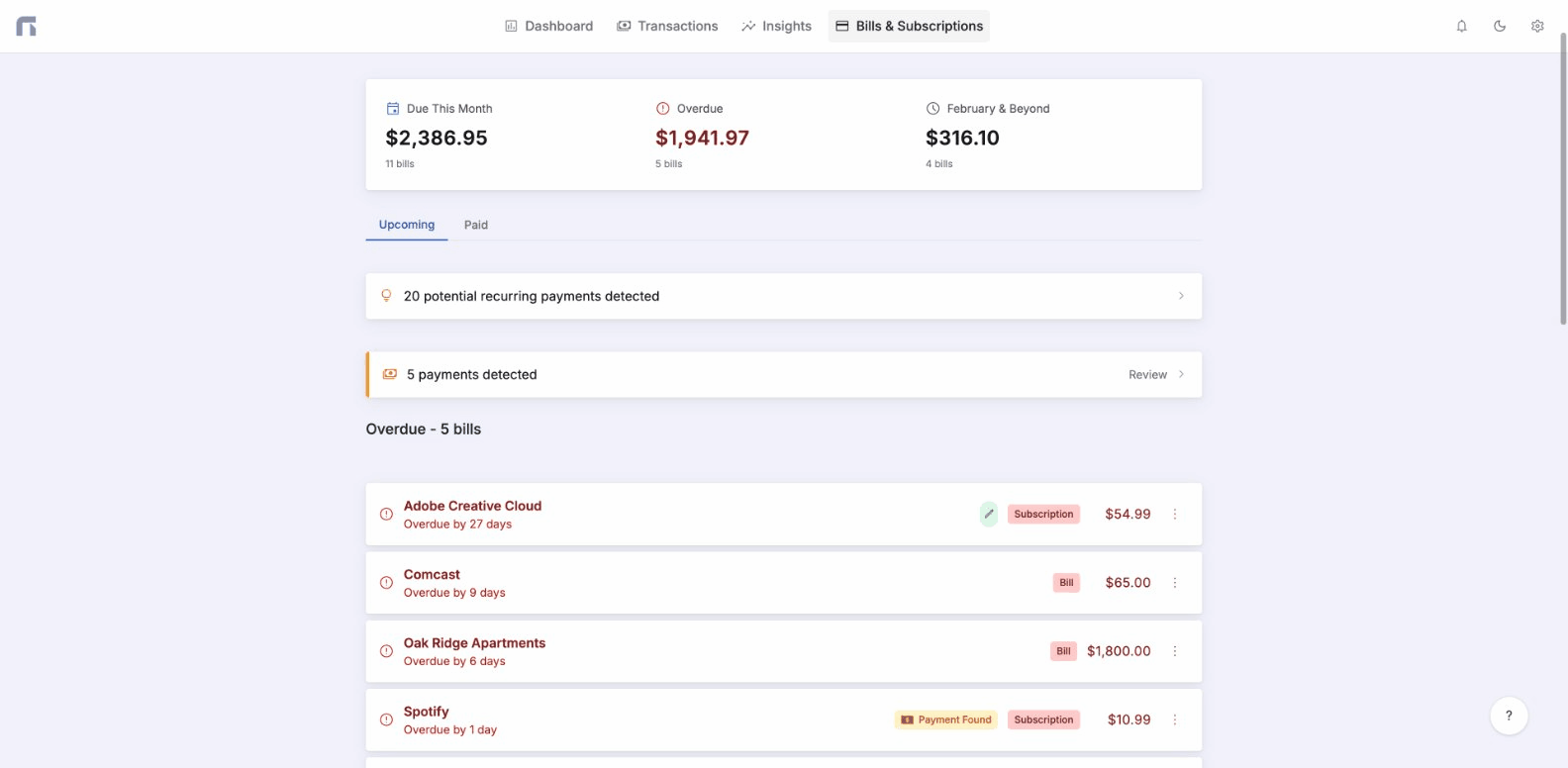
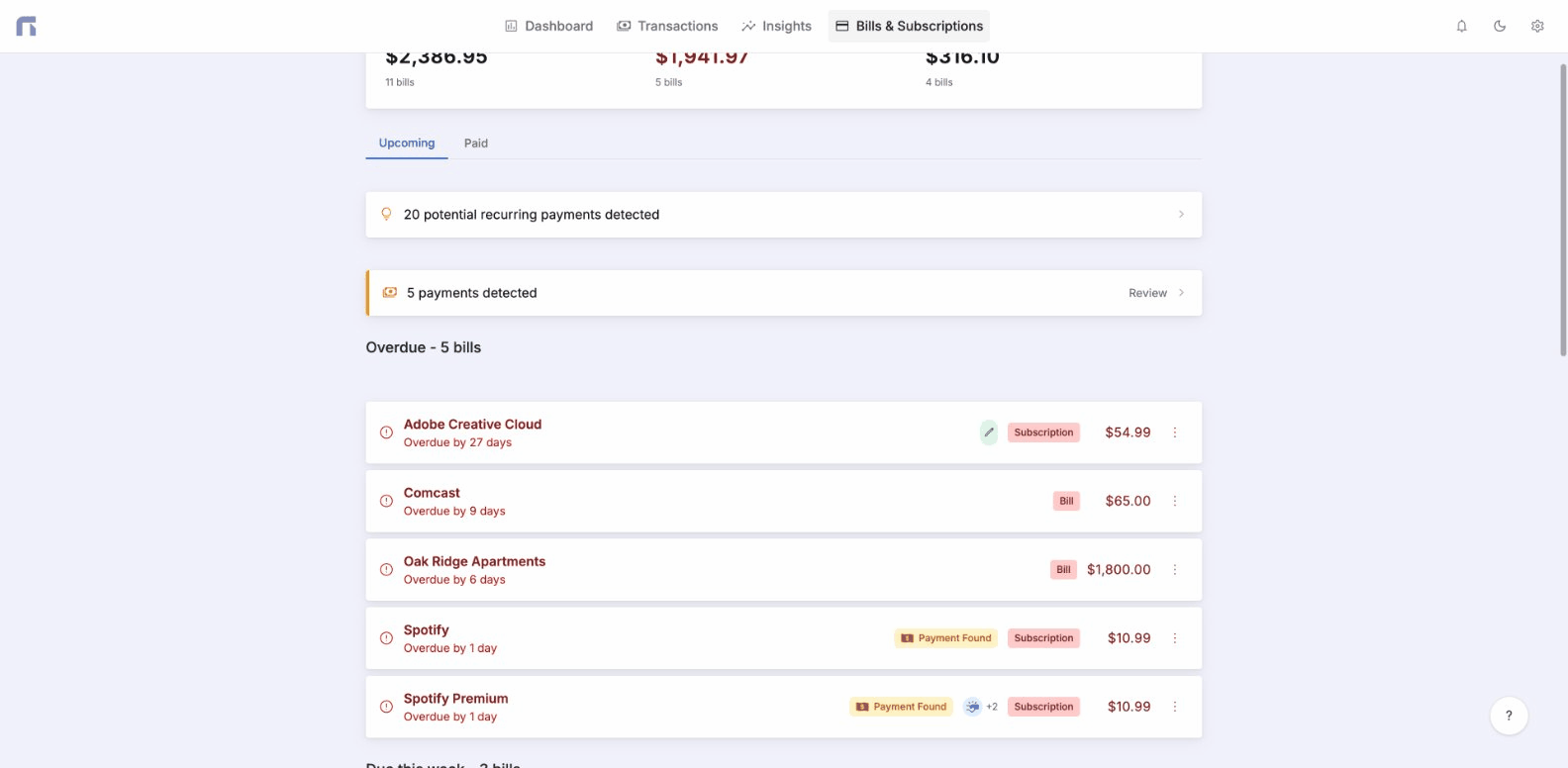
Nexafin works this way. It's built for people who want visibility into their bills without handing over bank credentials. Upload your statement, and it finds your recurring charges and shows what's due this week, what's overdue, and what's coming up.
Method 3: Check Your Email (Quick Supplement)
Search your inbox for: "subscription," "receipt," "payment," "renewed," "charged"
This won't catch everything, but it's a fast way to surface subscriptions you forgot about. Pair it with Method 1 for best results.
Method 4: The Brute-Force Option
If you want to avoid apps entirely, set aside 30 minutes and go through your last 3 months of credit card and bank statements line by line. Tedious, but thorough.
Why This Matters
Most people aren't bad with money. They're just blind to it.
When you don't know what you're paying for, you can't make decisions about it. You stay subscribed to things out of inertia. You get surprised by charges that were entirely predictable.
Knowing what you're paying, and when it's due, reduces financial stress. You stop reacting to your bank account and start controlling it.
You don't need to link your bank to every app to get that control. A CSV export and 10 minutes of your time can surface subscriptions you've been paying for years without realizing it.
Ready to take control of your finances?
Track spending, monitor net worth, and gain clarity on your money.
Start Free Trial →